
Table of Contents
This article will guide you through connecting Anthropic with AI Content Labs, including details on how to get your Anthropic API key.
Step 1: Access Your Anthropic Account
Go to https://console.anthropic.com/login and log in. If you don’t have an account, create one by following the on-screen instructions.
Step 2: Get Your Anthropic API Key
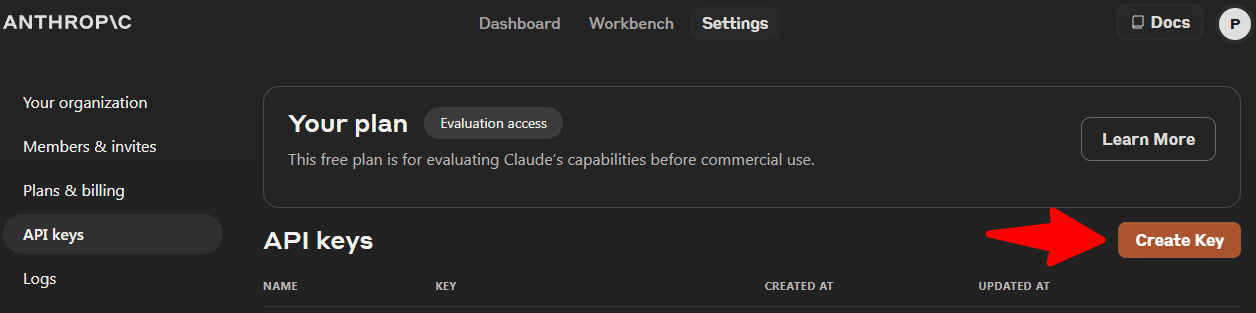
- In the left-hand menu, click on “API Keys”.
- Click the “Create Key” button.
- In the pop-up window, assign a name to your key. This name will help you identify it later.
- Click “Create Key”.
- Important! Copy the displayed API key. You won’t be able to view it again after closing this window.


Step 3: Enter the API Key in AI Content Labs
- Log in to your AI Content Labs account.
- In the user menu (bottom-left of the screen), select “Set Up API Keys”.
- Locate the Anthropic card. You can check Anthropic-compatible models with AI Content Labs here.
- Paste the API key you copied into the corresponding field on the Anthropic card.
- Click “Save”. If the key is incorrect, you will be notified.


For any questions or issues, contact the AI Content Labs support team.


