
Table of Contents
This article will guide you through the process of connecting your Minimax account with AI Content Labs.
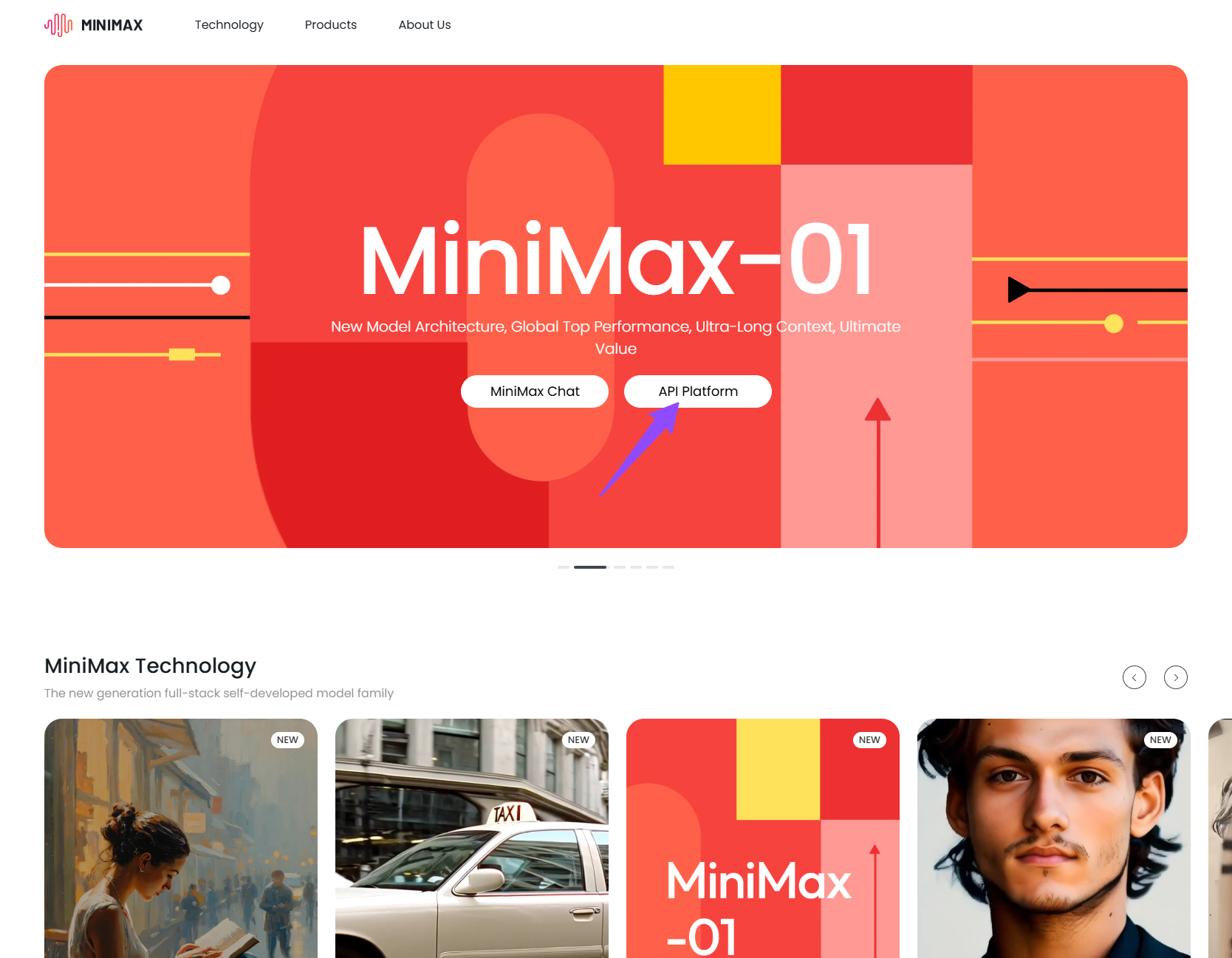
Step 1: Log in to your Minimax account
Go to the Minimax login page: https://www.minimax.io/. If you don’t have an account yet, you can create one.
Step 2: Get your API key and Group ID from Minimax
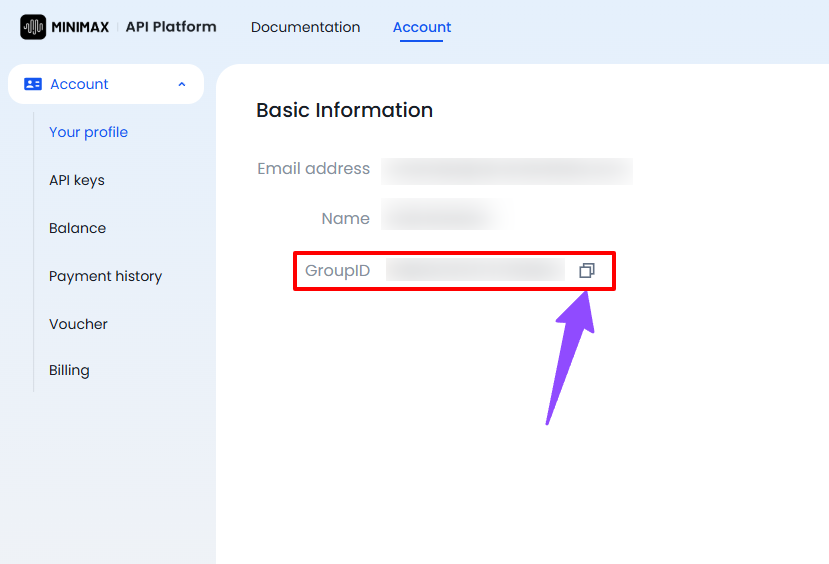
- Go to the API keys section: https://www.minimax.io/platform/user-center/basic-information.
- Copy your Group ID.
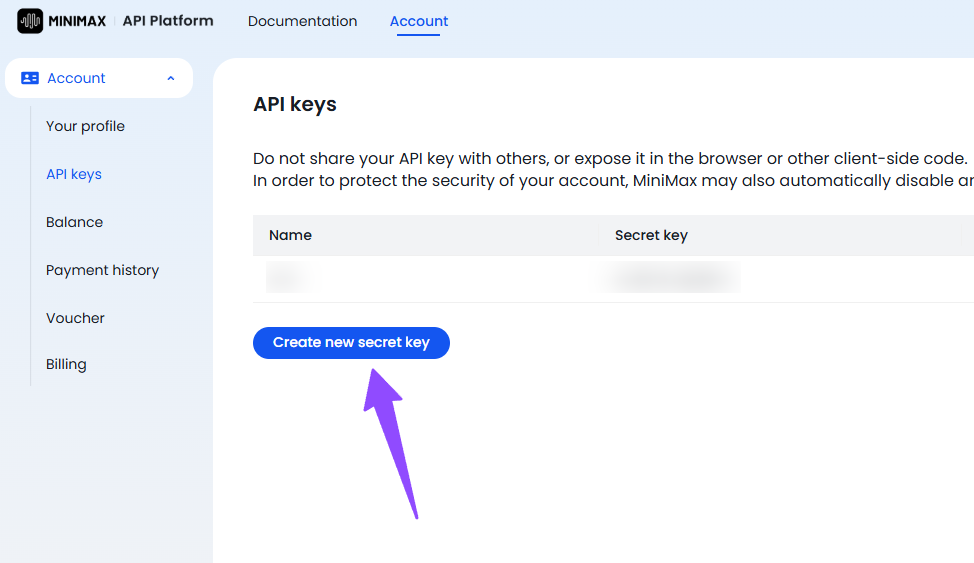
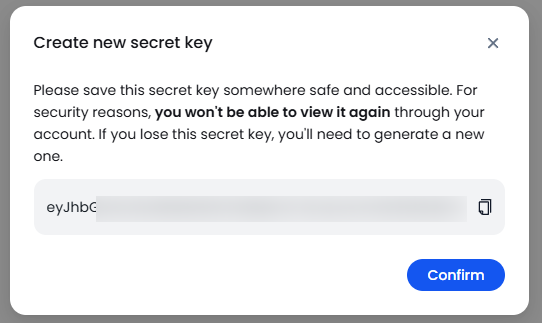
- Click on “Create new secret key”.
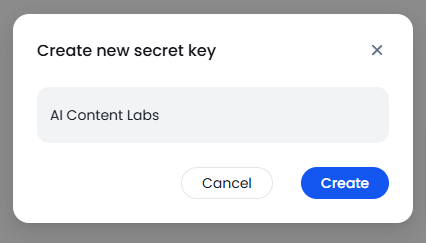
- In the pop-up window, you can assign a name to your key (optional).
- Click on “Create”.
- Copy the API key shown. Important: Save this key securely, as you will not be able to view it again.
Step 3: Enter the API key and Group ID in AI Content Labs
- Log in to your AI Content Labs account: https://app.aicontentlabs.com.
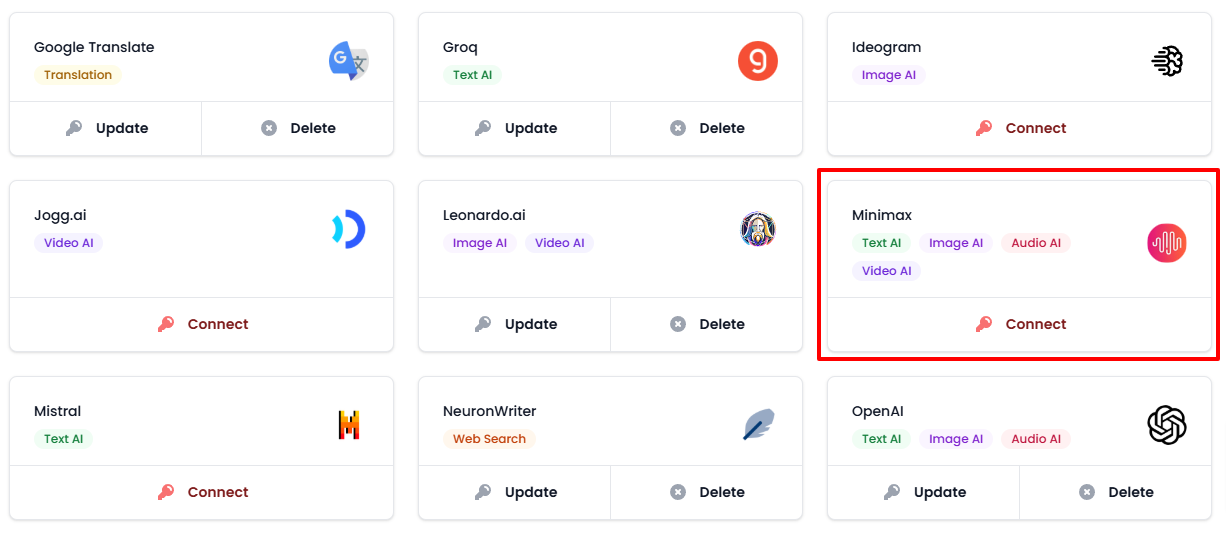
- In the user menu (bottom left), select “Set Up API Keys”.
- Locate the Minimax card and click on “Connect”.
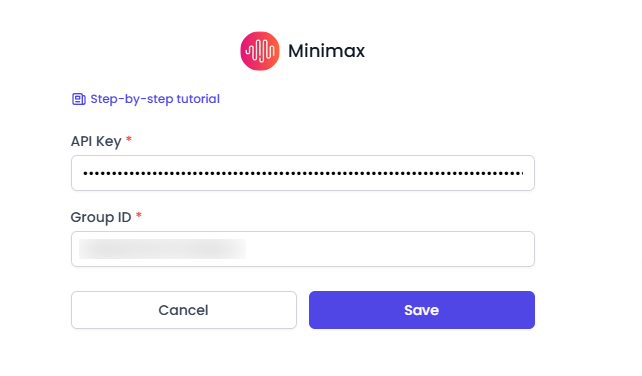
- Paste the API key and Group ID you copied into the corresponding fields.
- Click on “Save”.
- You can find Minimax-supported models in AI Content Labs here.

By completing these steps, you will have successfully integrated Minimax with AI Content Labs. Contact technical support if you need assistance.


