
Variables are key elements in AI prompt templates, as they allow you to customize and adapt the generated content to the user’s specific needs. By including variables in prompts, you can define dynamic inputs that the user will complete when executing the prompt, ensuring more accurate and relevant results.
Types of Variables
Currently, we have defined 5 types of variables:
1. Text Type
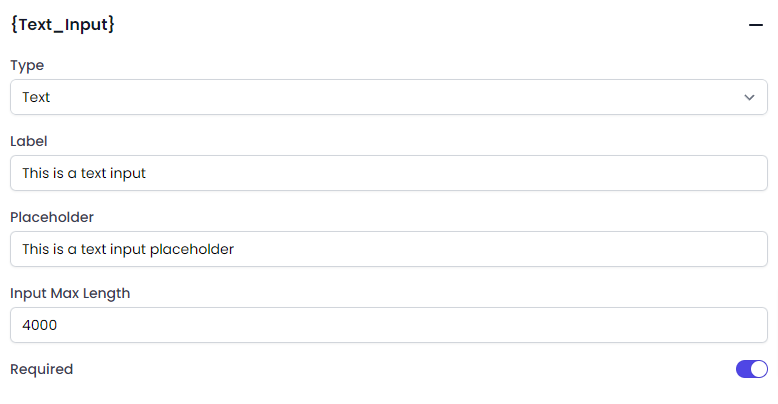
This type of variable allows the template input to accept a text value. You can configure the following aspects:
- Label: The title or label of the variable.
- Placeholder: The example text that appears in the input field.
- Max Length: The maximum number of characters allowed.
- Required: Whether the field must be completed.
Configuration
User Input View

2. Multiple Options
In this type of variable, the template input will display a list of multiple options, defined when creating the variable. You can configure:
- Label: The title or label of the variable.
- Options List: The options should be entered separated by a line break.
- Default Value: A preselected option from the list.
- Multiple Selection: Whether more than one option can be selected. The maximum is 3 options.
- Allow Different Inputs: Whether inputs other than those in the list are allowed.
- Required: Whether the field must be completed.
Configuration

User Input View

3. Random Selection
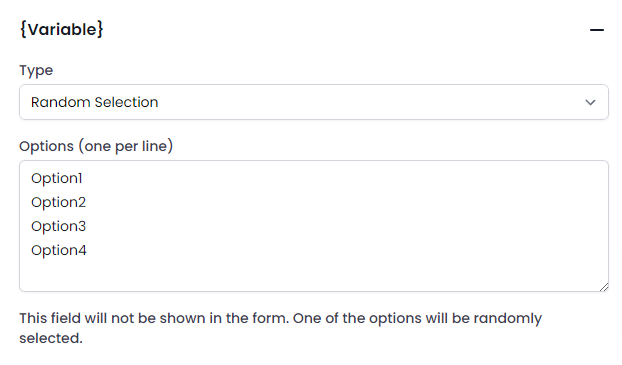
This variable will not generate an input but will randomly select one of the values entered in a list of options (one per line). Each value has an equal chance of being chosen with each execution.
Configuration
4. Predefined
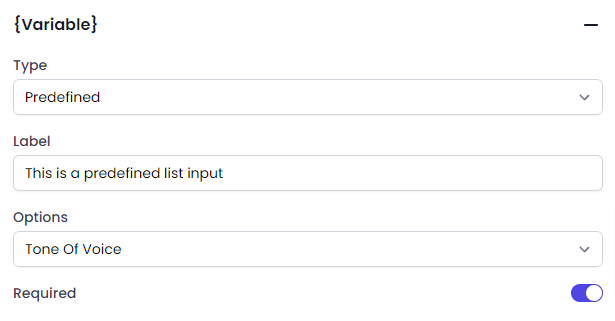
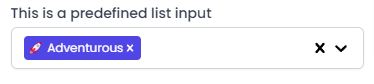
In this variable, you can choose from a list of values that AI Content Labs has predefined for various topics, which will be shown as input. You can configure:
- Label: The title or label of the variable.
- Predefined List: Currently, only a list of voice tones is available.
Configuration
User Input View
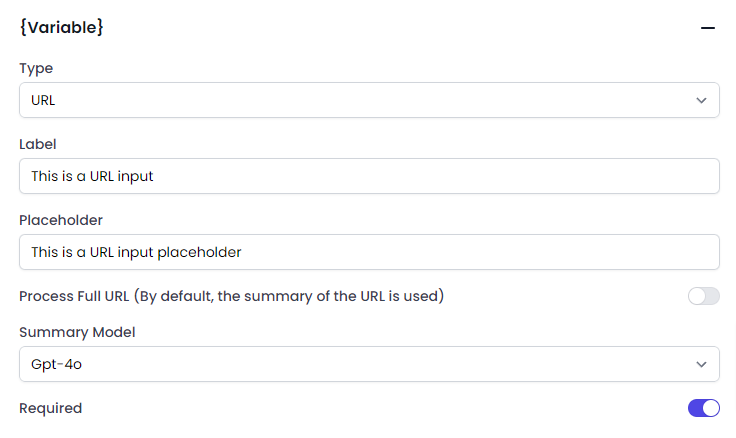
5. URL
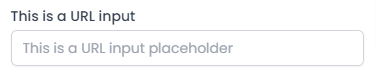
This type of variable has an input field that will only accept URLs. You can configure:
- Label: The title or label of the variable.
- Placeholder: The example text that appears in the input field.
- Return Full Text or Summary: Whether the URL should return the full text or just a summary.
- AI Model for Summary: If you decide a summary, you can select the AI model that will be used to generate it.
- Required: Whether the field must be completed.
Configuration
User Input View
These variables allow for great flexibility and customization in prompt creation, ensuring that each template can be adapted to various needs and specific situations. By correctly defining and using these variables, you can optimize the performance and effectiveness of AI templates in AI Content Labs.
Example
To better illustrate the use of variables, here is an example of a prompt that uses the 5 types of variables:
You are a digital marketing expert, and your task is to create an advertising campaign. You need to write a detailed description of the {product} aimed at {audience}. The description should have a {voice_tone} tone and should be {highlighted_features}. Also, provide a link to the product website for more information: {product_link}.
Details of the Variables Used
- {product} (Text Type)
- Label: Product
- Placeholder: Product name
- Max Length: 100 characters
- Required: Yes
- {audience} (Multiple Options)
- Label: Audience
- Options:
- General Consumers.
- Entrepreneurs.
- Young Adults.
- Tech Professionals.
- Homemakers.
- Default Value: General Consumers
- Multiple Selection: No
- Allow Different Inputs: No
- Required: Yes
- {voice_tone} (Predefined)
- Label: Tone of Voice
- Predefined List: Tone of Voice
- Required: Yes
- {highlighted_features} (Random Selection)
- Label: Highlighted Features
- Options:
- Innovative
- Economical
- High Quality
- Easy to Use
- Versatile
- Eco-friendly
- {product_link} (URL)
- Label: Product Link
- Placeholder: https://www.example.com
- Return Full Text or Summary: Full Text
- AI Model for Summary: N/A (Not applicable in this case)
- Required: Yes
To execute the template, we will use the following values:
- Product: CRM System.
- Audience: Entrepreneurs.
- Voice Tone: Casual.
- Product Link: https://www.bitrix24.com/
The prompt after replacing the variables would be:
You are a digital marketing expert, and your task is to create an advertising campaign. You need to write a detailed description of the < strong>CRM System aimed at Entrepreneurs. The description should have a casual tone and should be Innovative. Also, provide a link to the product website for more information: https://www.bitrix24.com/
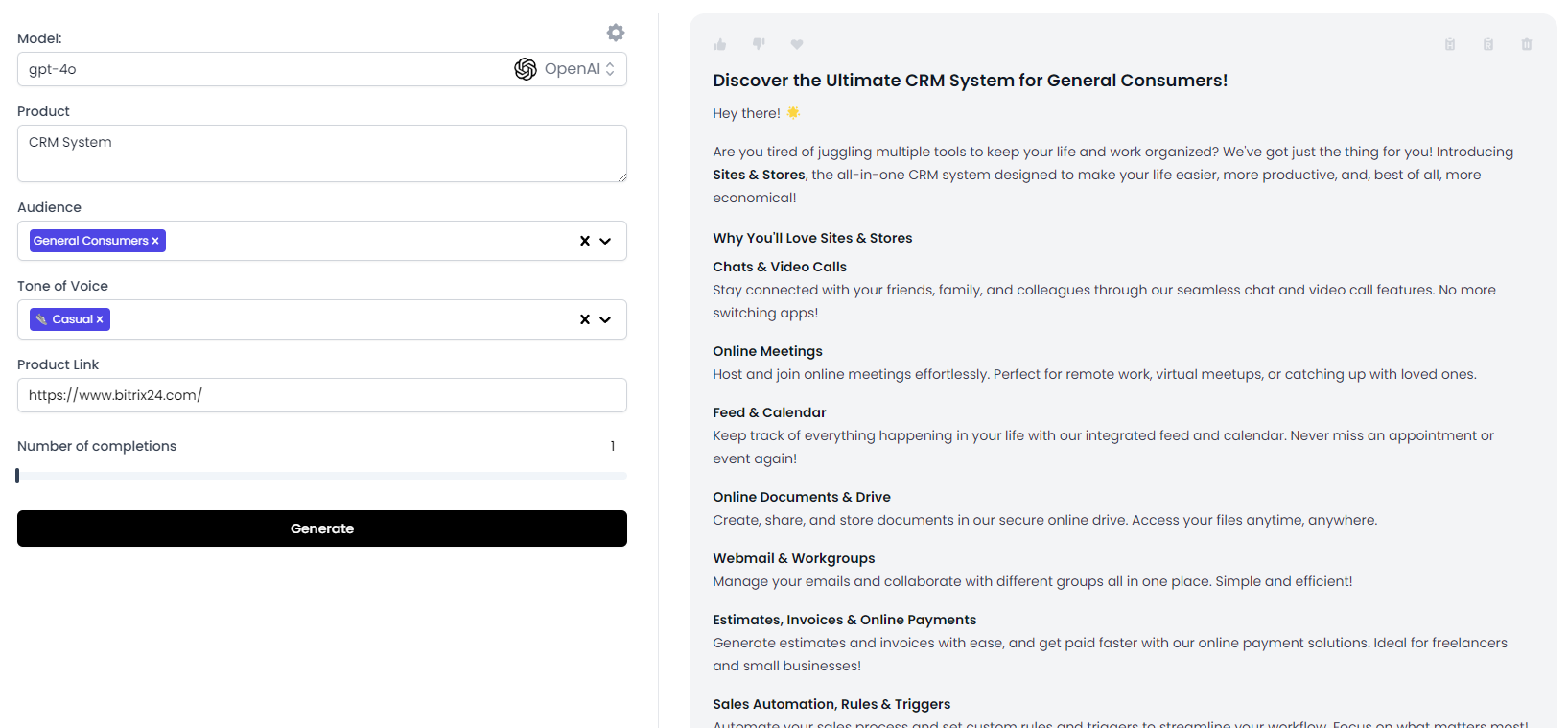
You can access this example and duplicate it for detailed analysis at this link: https://app.aicontentlabs.com/templates/OHJ7ZoANlbbCezcRrIc8G.
This example shows how to use different types of variables to create a complete and personalized prompt that can be adapted to various situations and specific needs. By correctly defining and using these variables, you can optimize the performance and effectiveness of AI templates in AI Content Labs.


