
Table of Contents
This article will guide you through integrating Vertex AI with AI Content Labs.
Step 1: Access your Google Cloud Platform account
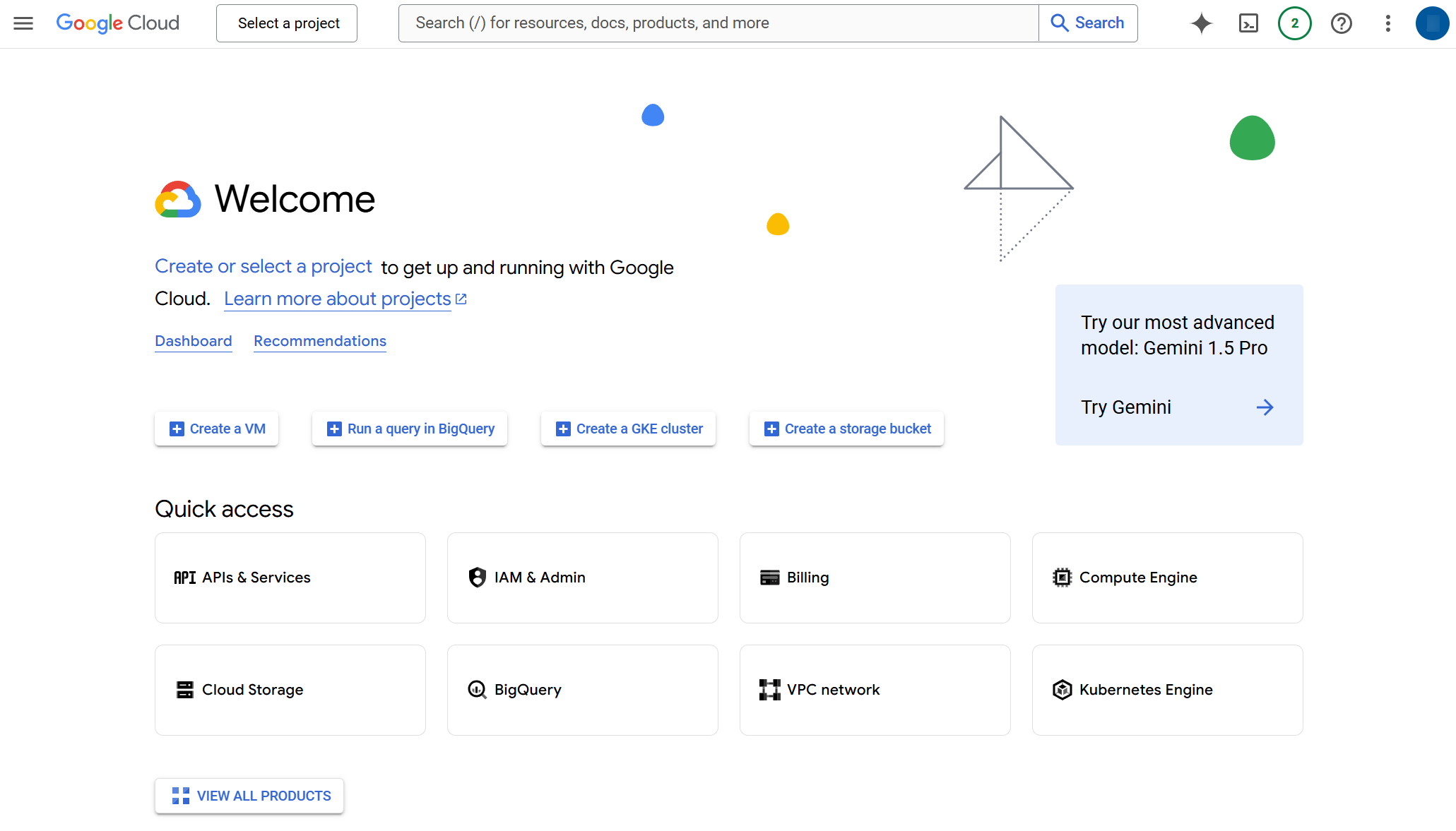
Log in to your Google Cloud Platform account at https://cloud.google.com/cloud-console/. If you don’t have one, create a new account.

Step 2: Get the Vertex AI API Key
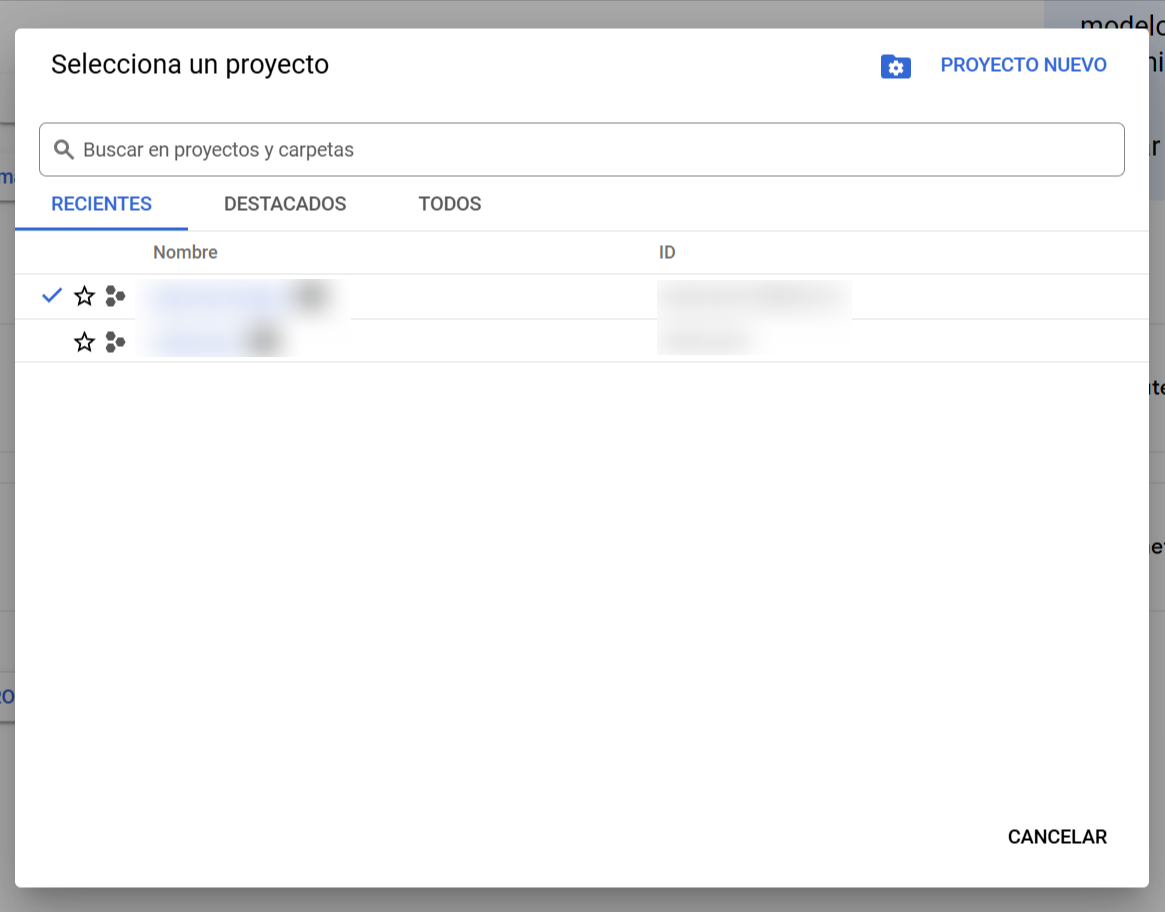
- Create a new project or select an existing one:
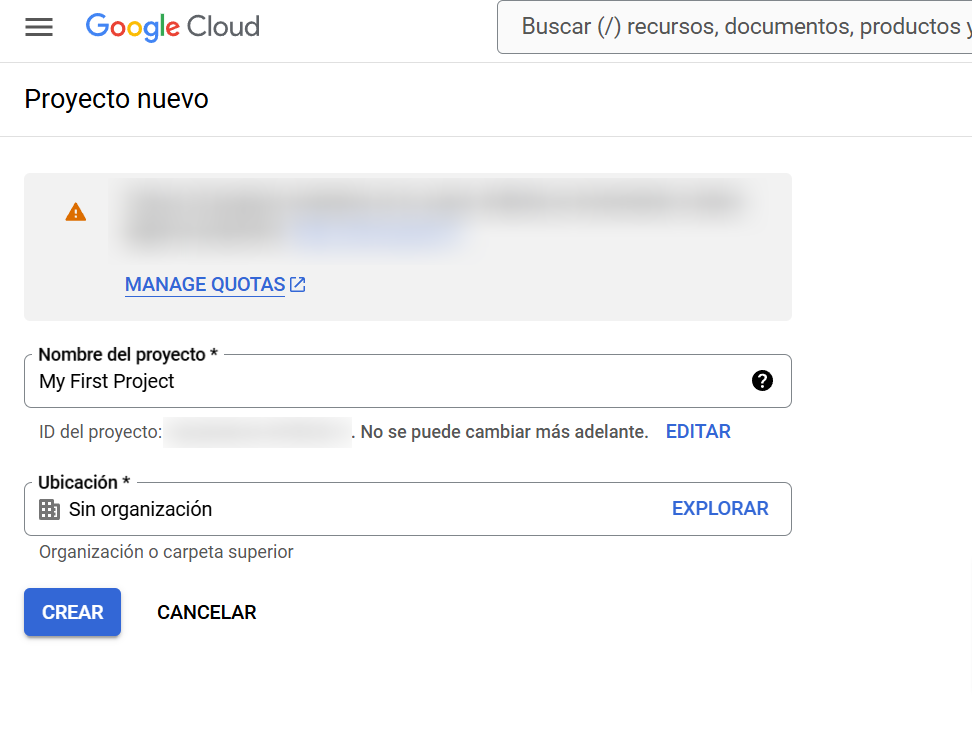
- If it’s a new project, in the top bar, select the project selection dropdown menu and click on “NEW PROJECT”.
- Assign a name to the project and click on “Create”. Note that the project ID will be generated automatically and cannot be changed later.
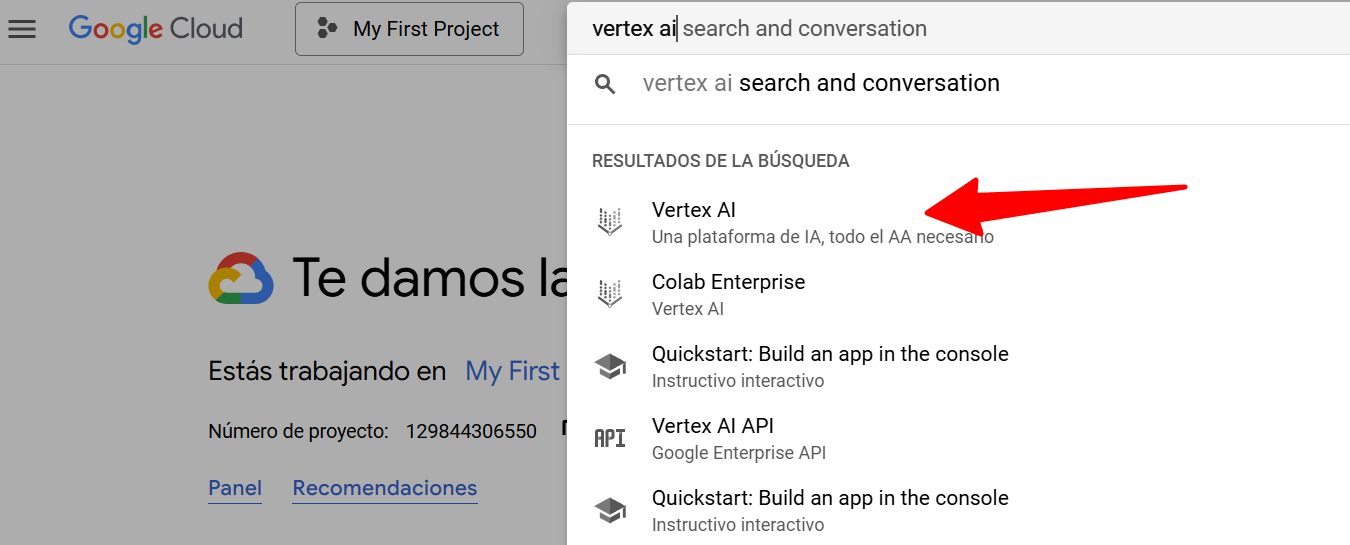
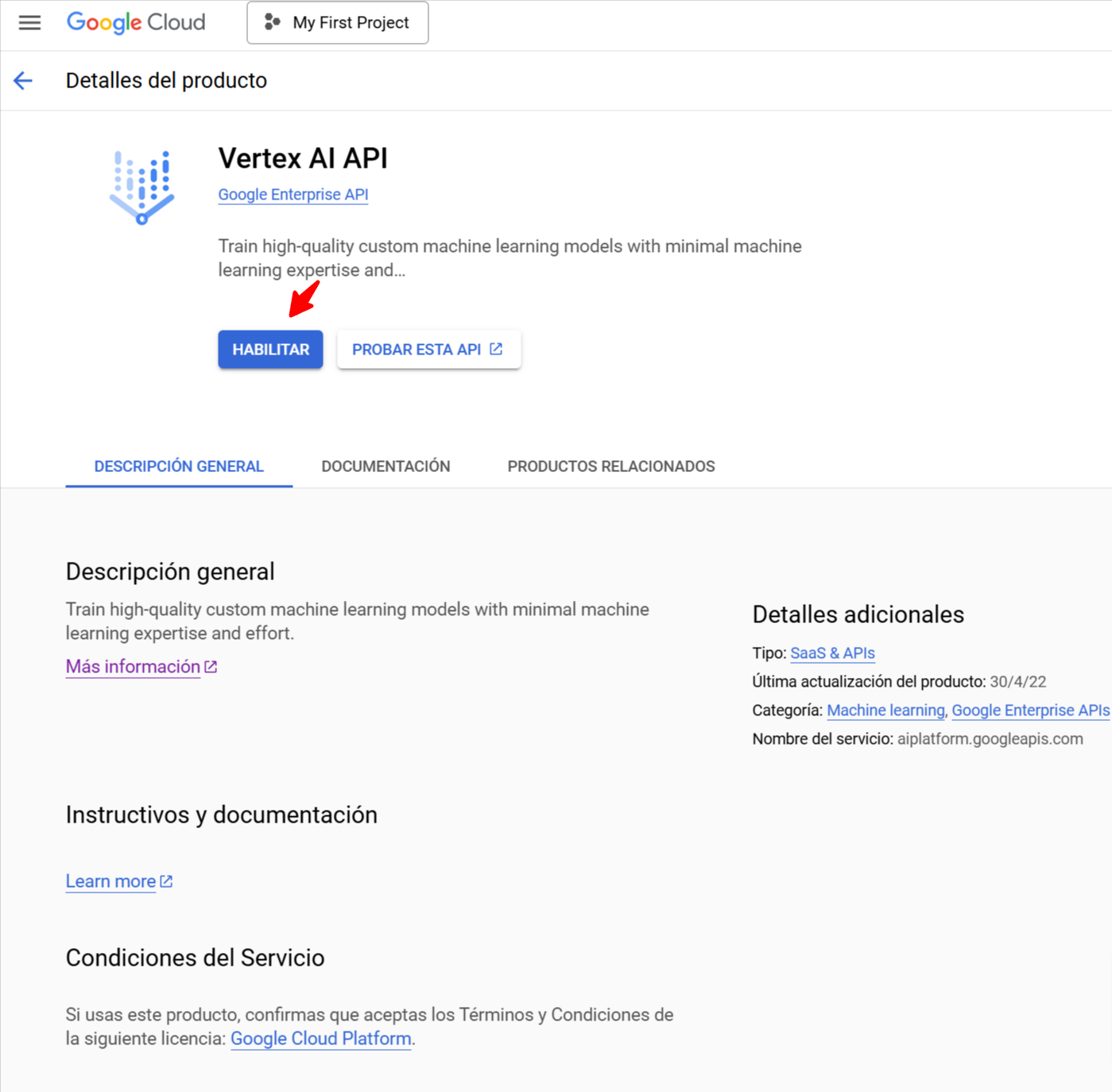
- Enable the Vertex AI API:
- In the top, search for “Vertex AI” and select it.
- Click on “ENABLE”.
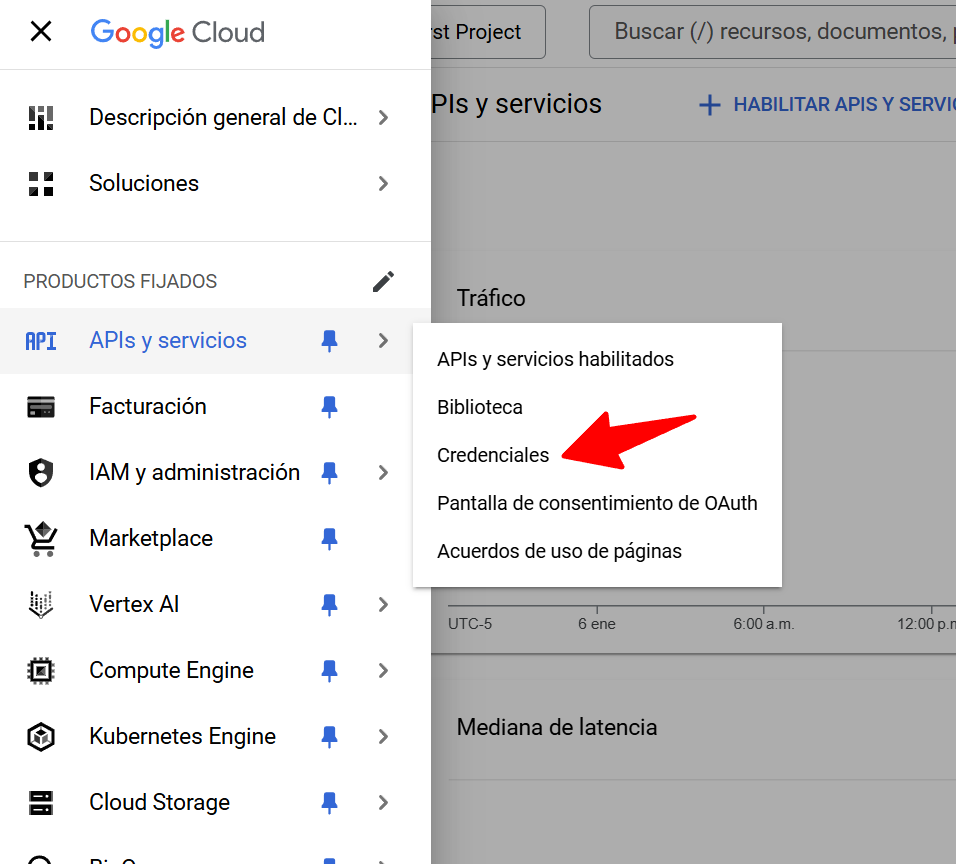
- Configure the service account:
- In the side menu, select “IAM and Admin” and then “Service Accounts”.
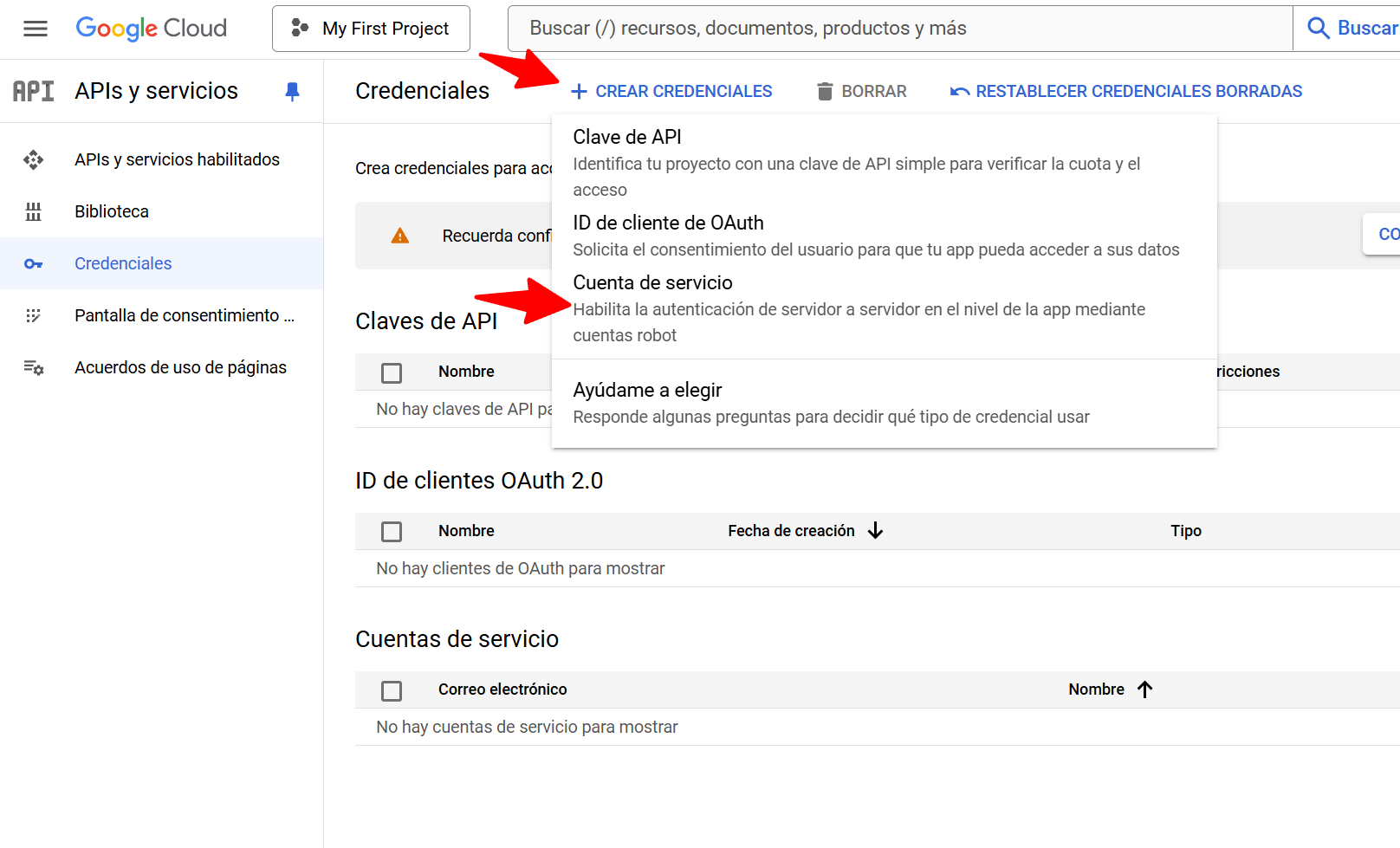
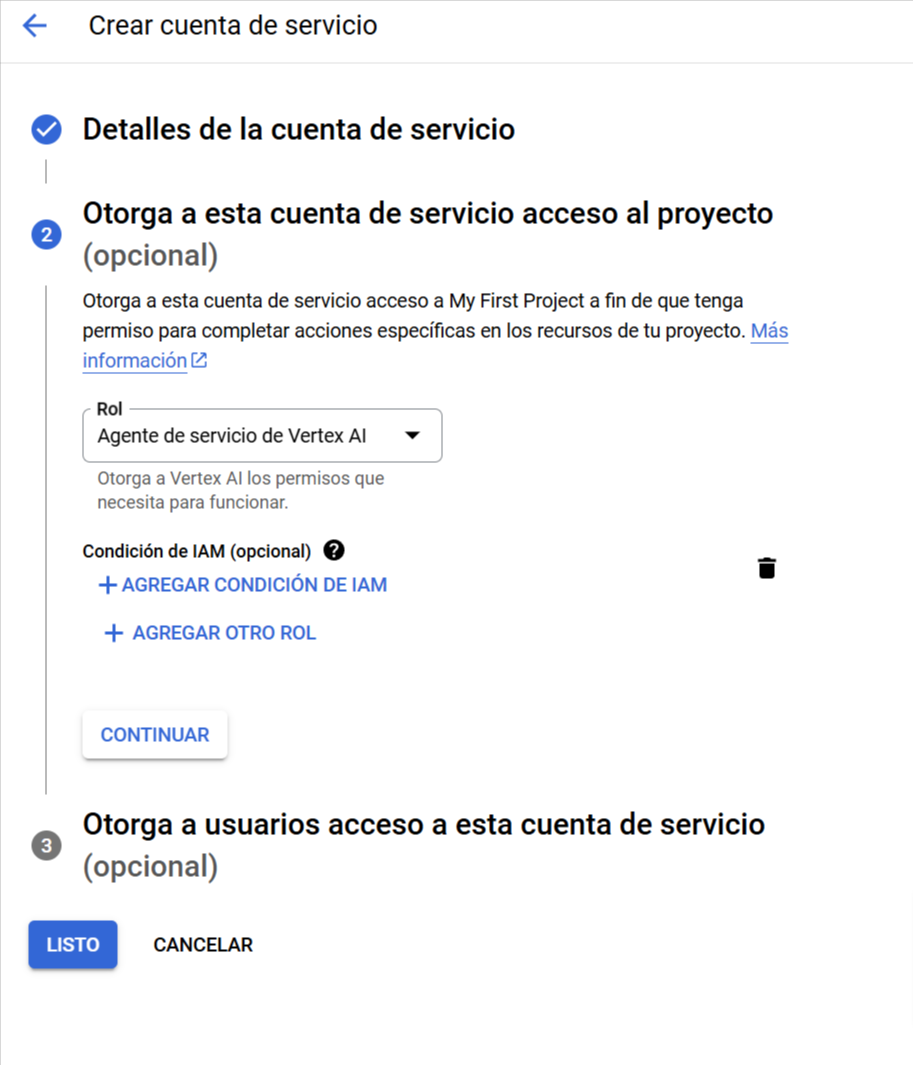
- Click on “CREATE SERVICE ACCOUNT”.
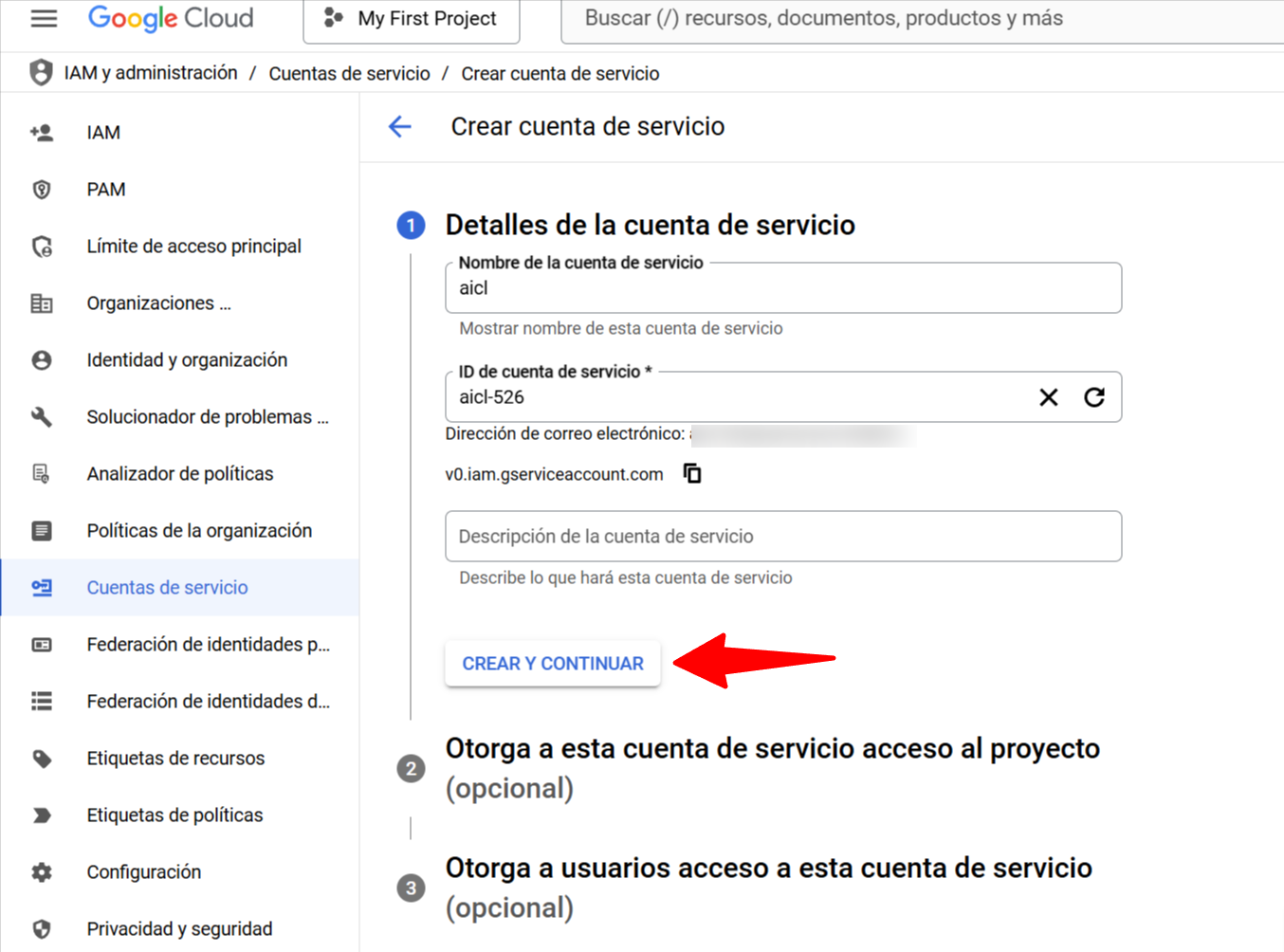
- Complete the required information and click on “CREATE AND CONTINUE”.
- In Step 2 “Grant this service account access to the project”, select the role Vertex AI Service Agent. This is crucial for Vertex AI to work correctly with AI Content Labs. Click on “Continue”.
- Step 3 “Grant users access to this service account” is optional. Click on “Done”.
- Create a key for the service account:
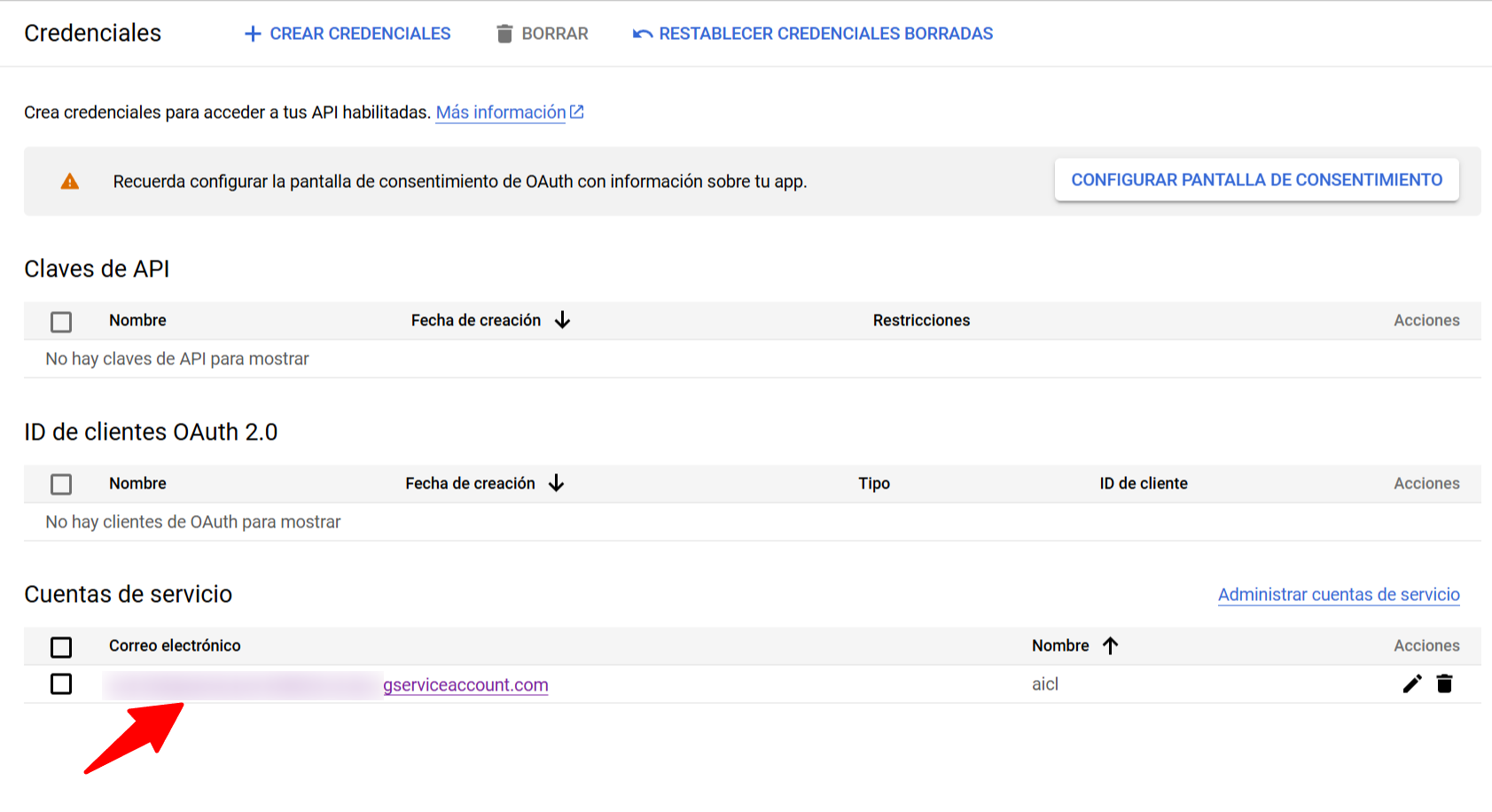
- In “IAM and Admin”, select “Service Accounts”.
- Locate the service account you just created and select the email.
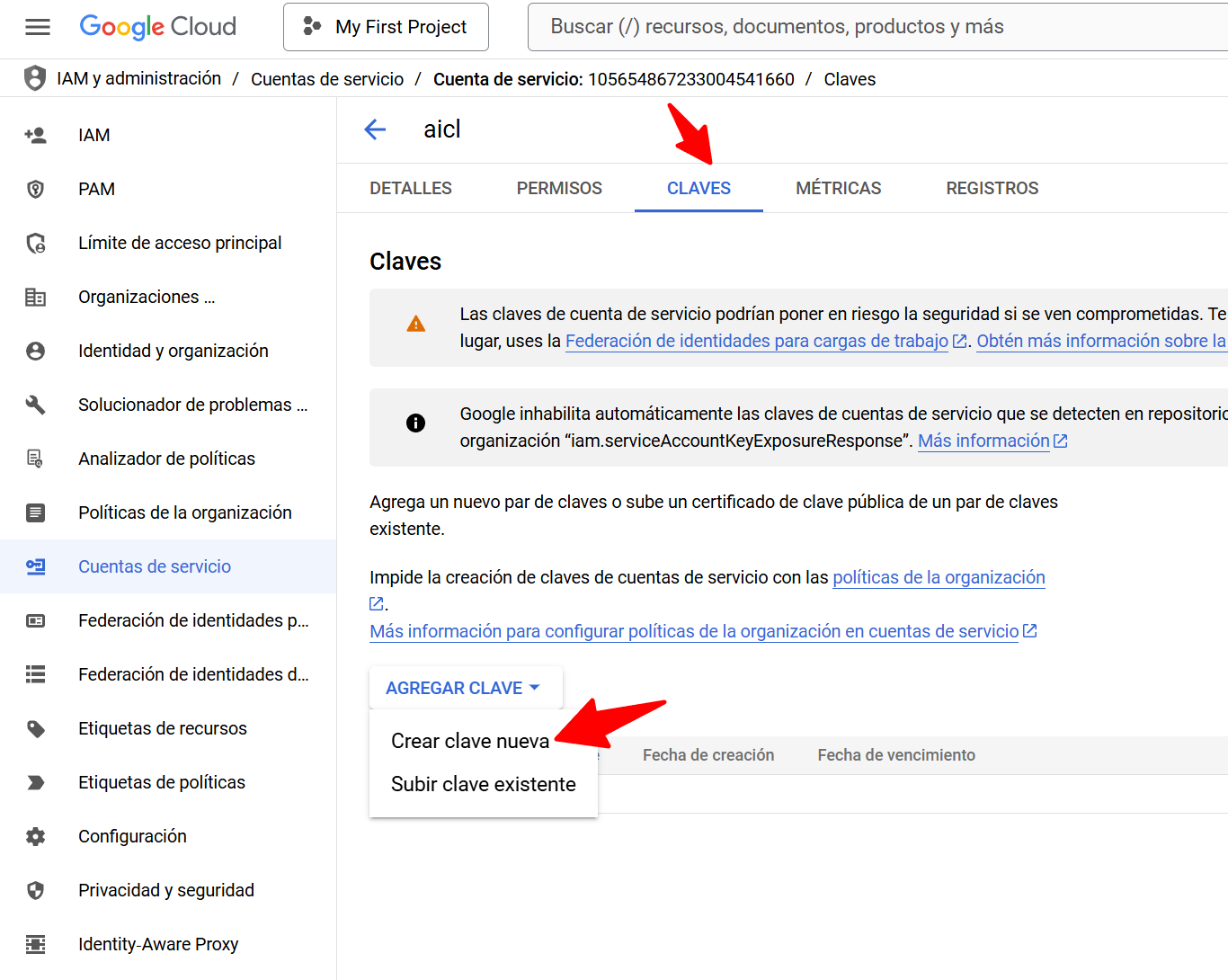
- Go to the “KEYS” tab and click on “ADD KEY”, then on “Create new key”.
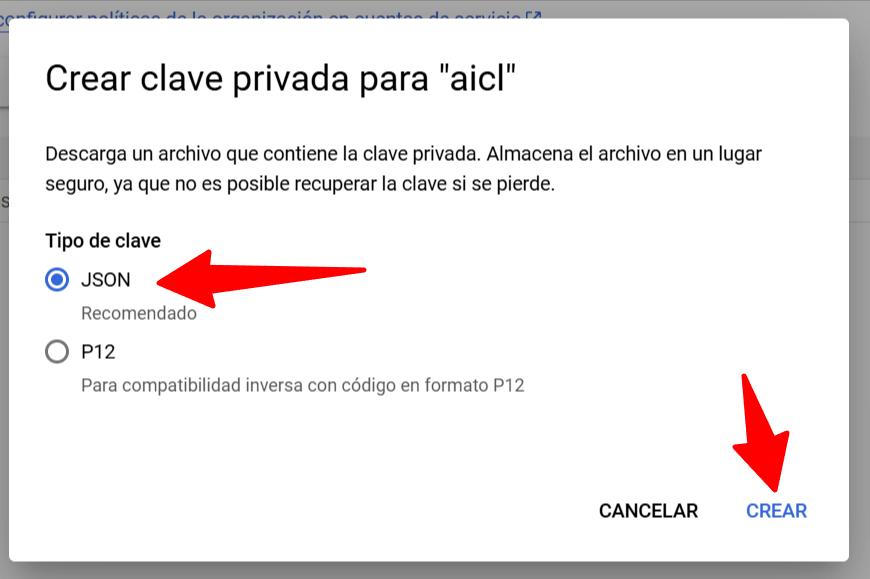
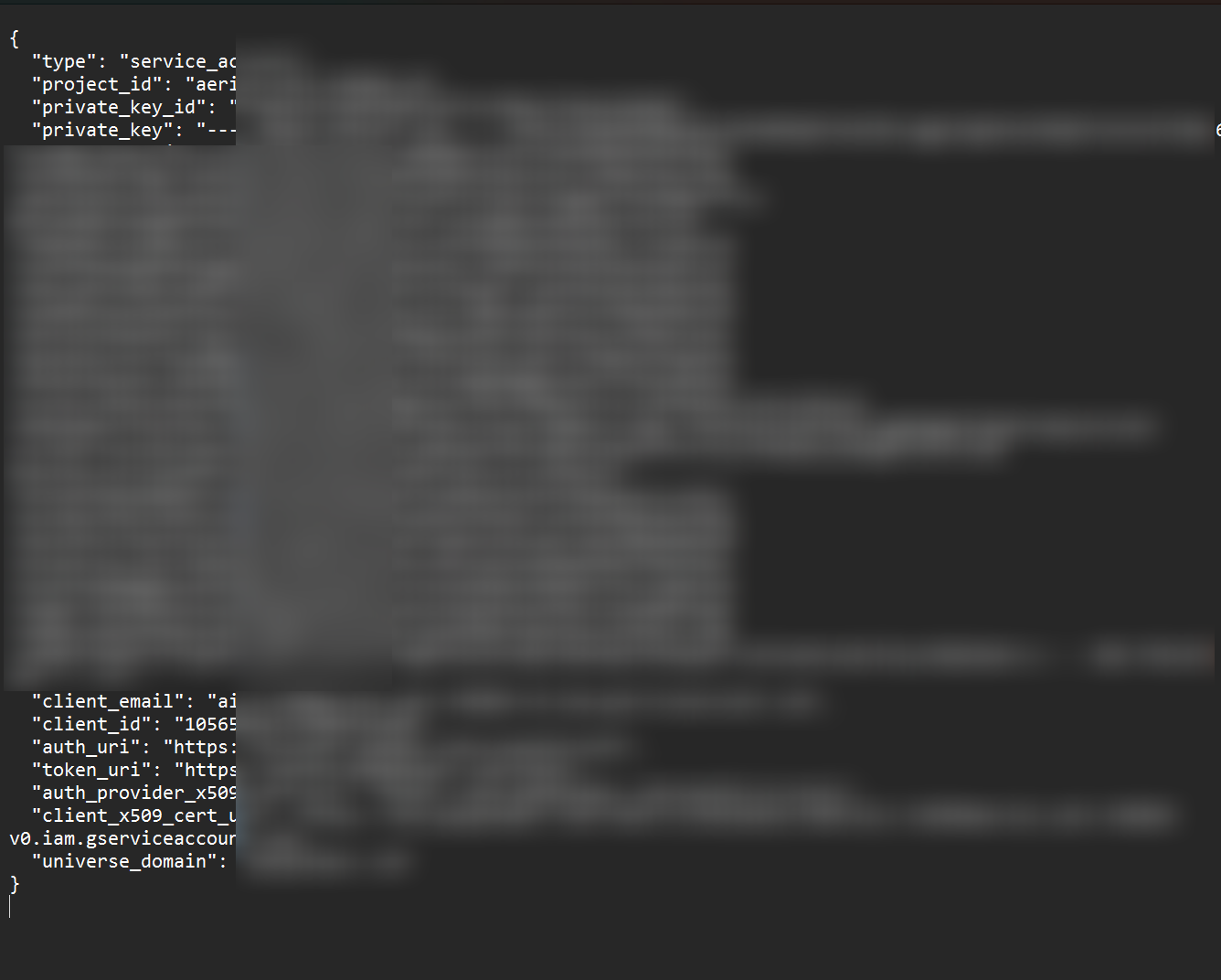
- Select the key type “JSON” and click on “CREATE”. Save this JSON file in a safe place; you will need it later. Note that the created API key may take a few minutes to become available.

Step 3: Enter the API key in AI Content Labs
- Access AI Content Labs.
- Click on the user menu at the bottom left of the screen.
- Select “Set Up API Keys”.
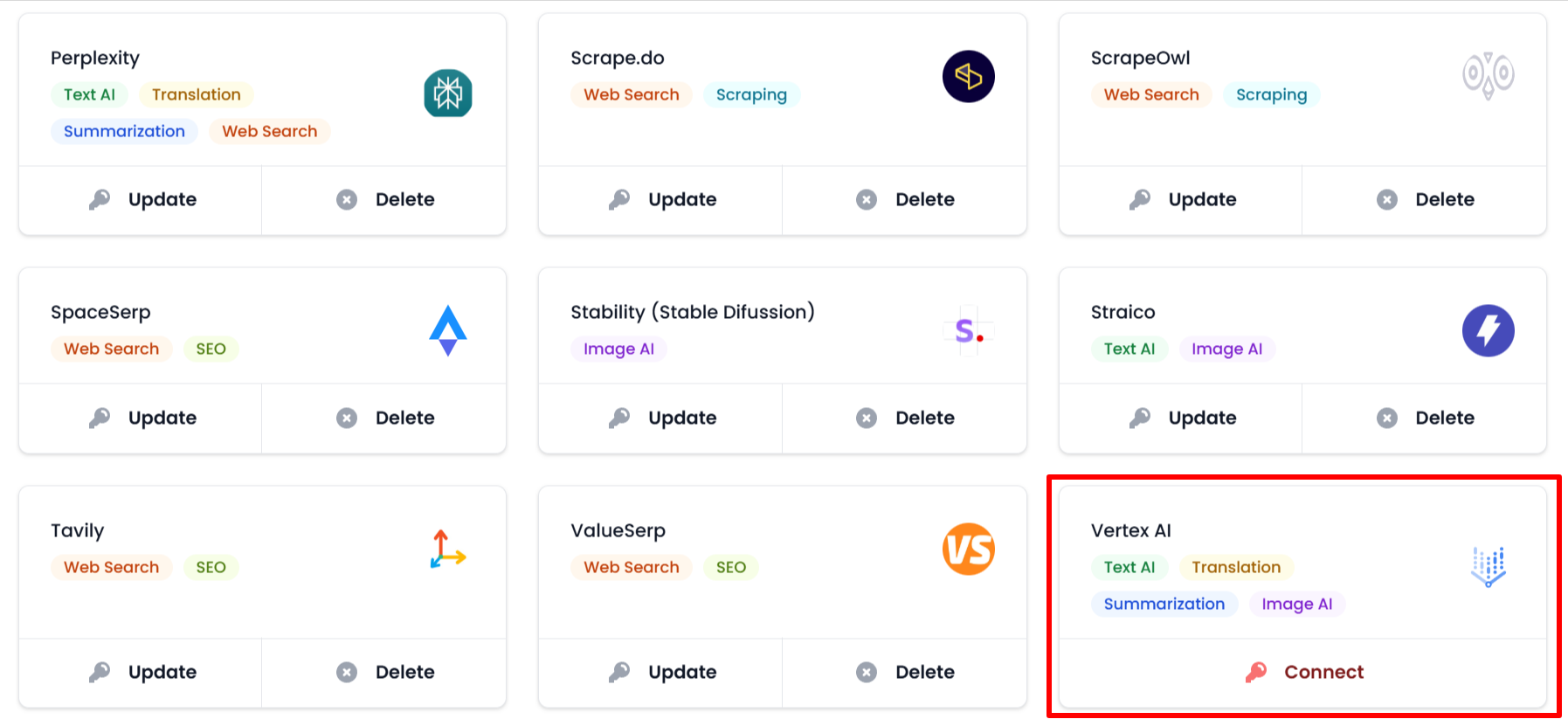
- Locate the “Vertex AI” card.
- Click on “Connect”.
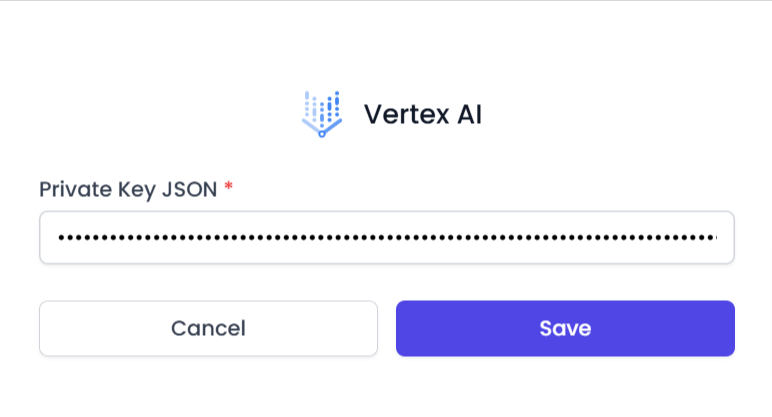
- Paste the content of the JSON file you copied into the “Private Key JSON” field.
- Click on “Save”.

With these steps, you have successfully integrated Vertex AI with AI Content Labs. To explore available models for Vertex AI, visit our models page. Contact technical support if you experience any issues.


